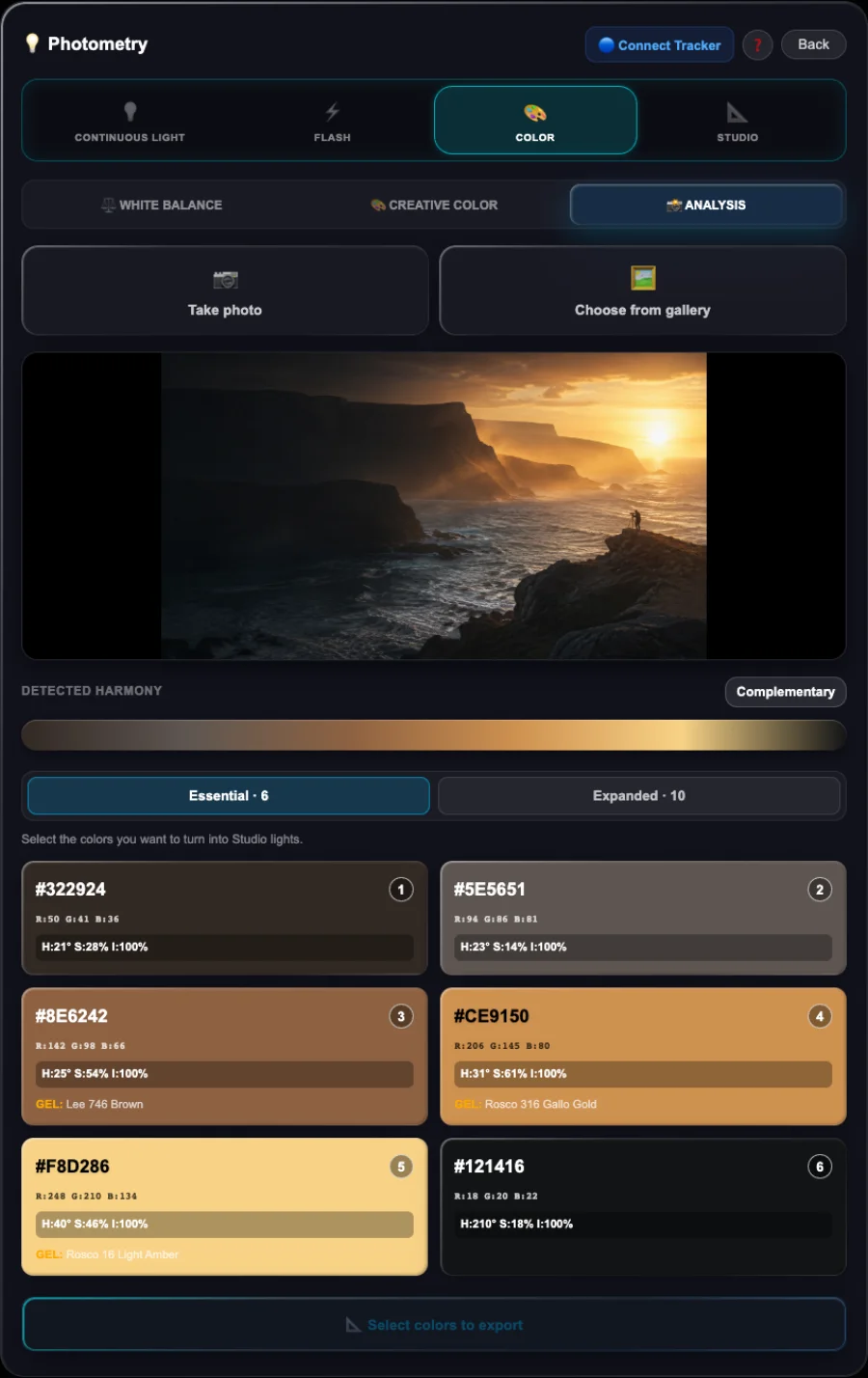
07 / COLOUR ANALYSIS
That colour that inspires youcould be the beginning of your next image.
Load a photograph into ShotPlanner and discover its palette. Choose the colours you want to bring into your creation and check their RGB values or approximate commercial gel equivalents.
Choosing colours is not enough. How they look together matters too.
Two colours with the same saturation value can feel very different. ShotPlanner provides indicative values and adjustments to balance their chromatic intensity, not just a list of colours.
Then turn them into light sources and take them into Studio to prepare your own lighting.
Do more than find inspiration. Discover how to work with it.
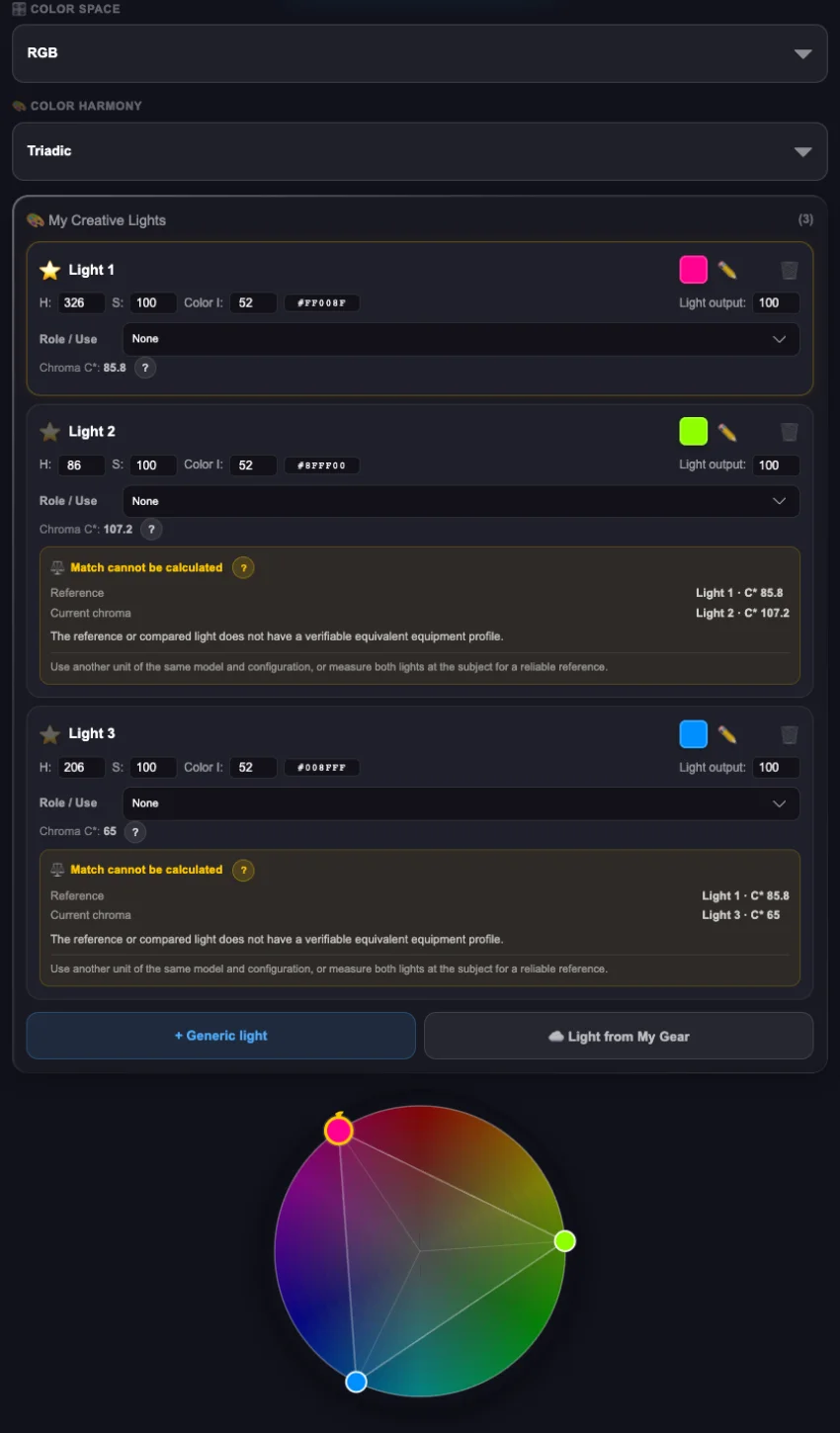
08 / CREATIVE COLOUR
Colour tells your story too.Give it the intention you imagine.
Looking for colour contrast or the continuity of an analogous harmony? ShotPlanner helps you build a harmony that serves what you want to express.
Choose the harmony and your main colour. The app suggests the colours that complete it, their values and indicative adjustments to balance their chromatic intensity. You do not need to master colour theory to start applying it.
Then prepare your selection with RGB values or approximate commercial gel equivalents and take it into Studio to create your lighting.
From what you want to express to the colours that can express it.
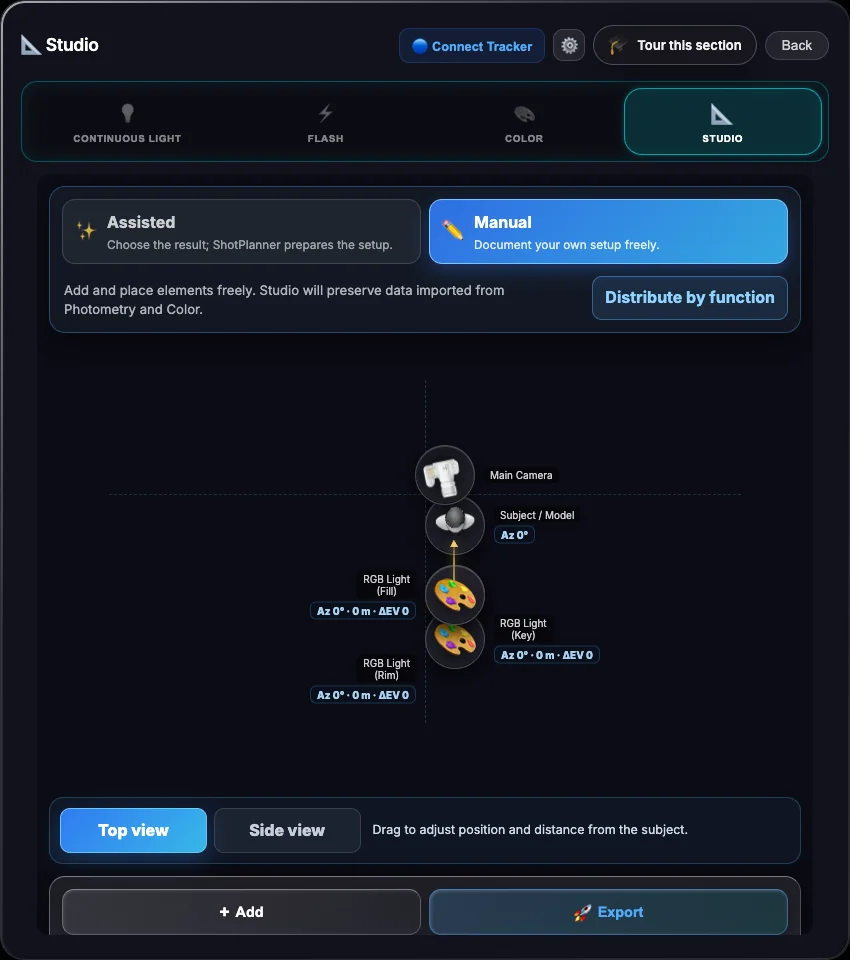
09 / STUDIO
Give every light a purpose.And your idea a diagram to bring it to life.
Bring your lights and colours into ShotPlanner Studio. Build freely in Manual mode or let Assisted mode guide you as you prepare the placement and role of each source.
Save your diagram, settings and notes to retrieve them whenever you need and use them as a guide to reproduce your lighting.
Studio lighting does not have to be difficult. ShotPlanner guides you so you can focus on creating.